A business with staff
Schedule the crew, see who is on site, approve their expenses and bill their hours. Each person clocks in on their own phone and sees only their own work and pay.

Free during the beta · iPhone and Android
Gigatime is the business app for tradespeople and small service businesses in Canada — clock in on the job, turn finished work into an invoice in a minute, and always know who still owes you.
Time tracking and shifts
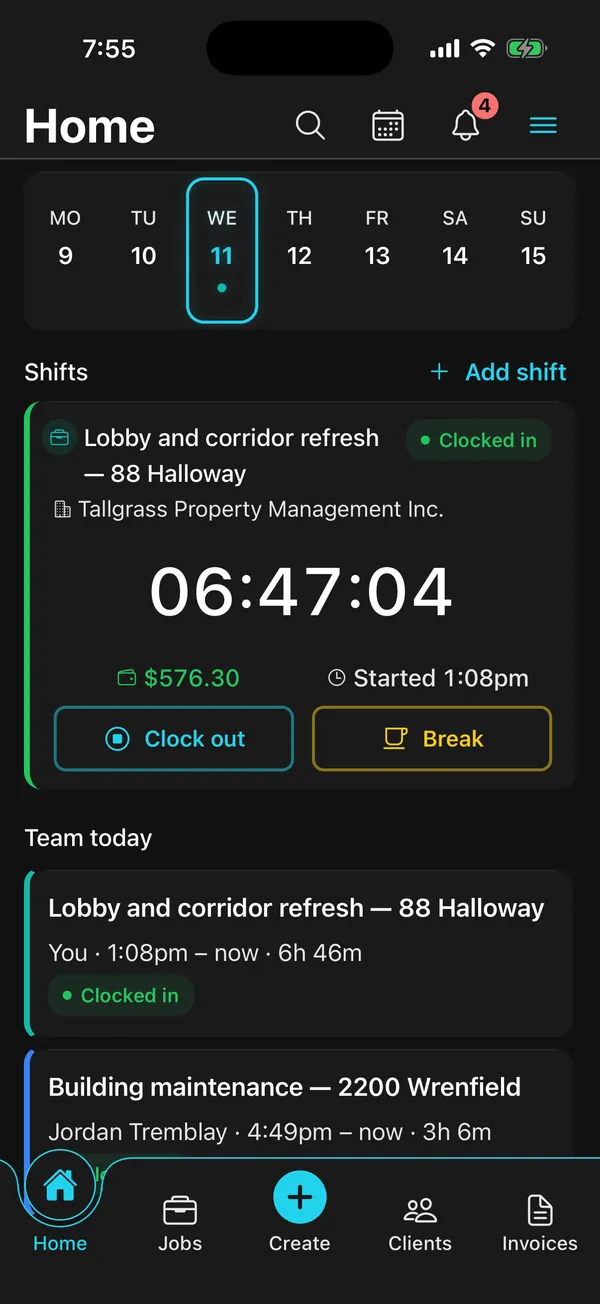
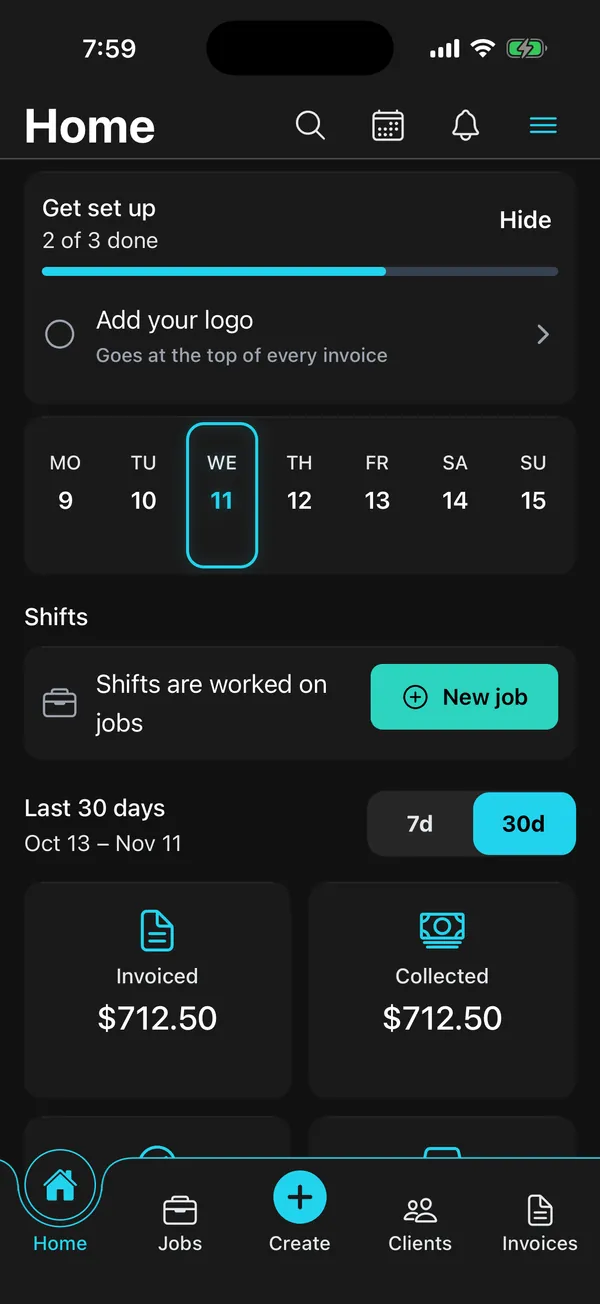
Start a shift with one tap and the running shift sits on your home screen, with the clock and what you have earned so far. Breaks, overtime and holidays are worked out for you.
Clock in, breaks, clock out
Paid or unpaid breaks set per job. Started late? Begin the shift at the time it was due. Forgot a shift? Add it afterwards.
Schedule the week
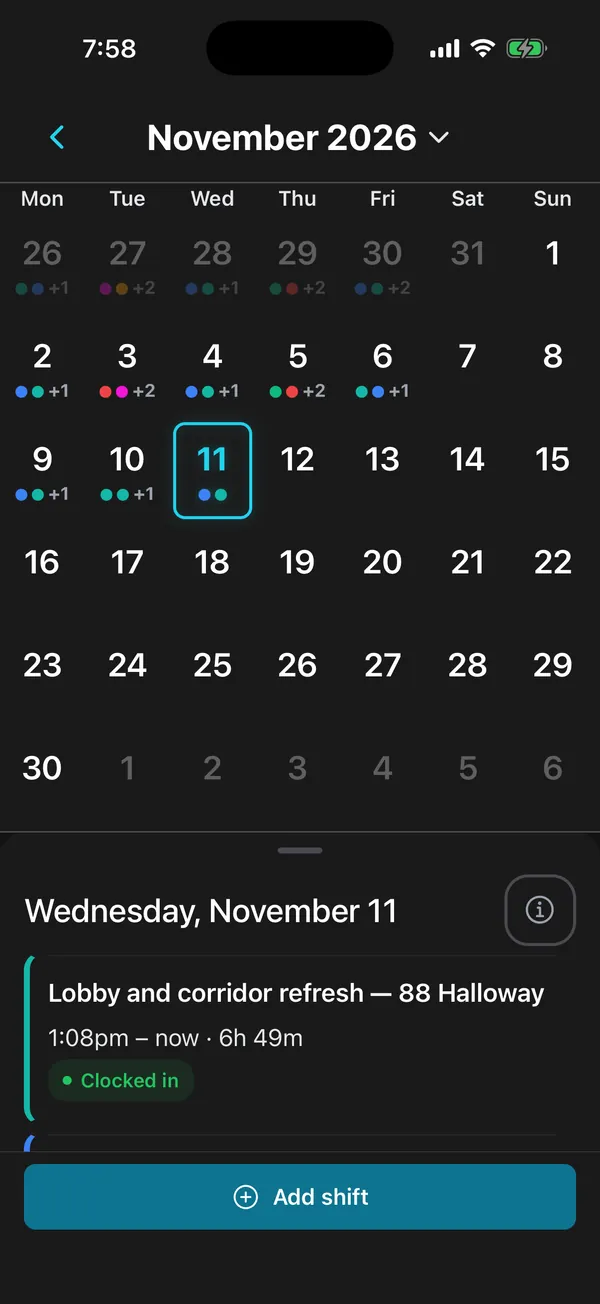
Plan shifts for yourself or your crew on the calendar, repeat them on chosen days, and move or skip a single day without touching the rest.
Nothing slips
A reminder before each shift, missed shifts flagged, and forgotten clock-outs closed at a limit you set. A manager can clock someone out, and they are told.
Overtime and holiday pay by the rules
Built-in rules for every Canadian province and territory — daily and weekly overtime, double time, statutory holidays. A client or a job can have its own rules.
Jobs
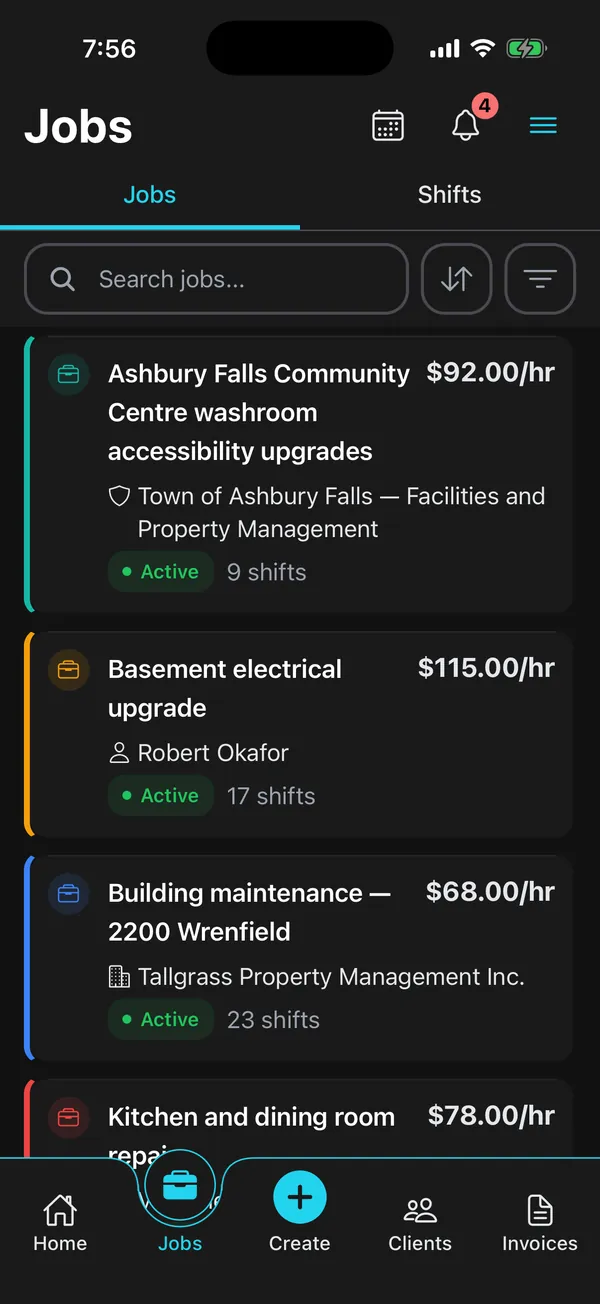
A job ties the client, the rate, the shifts and the expenses together, so you can see what is done and what has not been billed yet.
By the hour or a fixed price
Charge an hourly rate, or a fixed price billed in parts — a deposit, then milestones — never more than the agreed price.
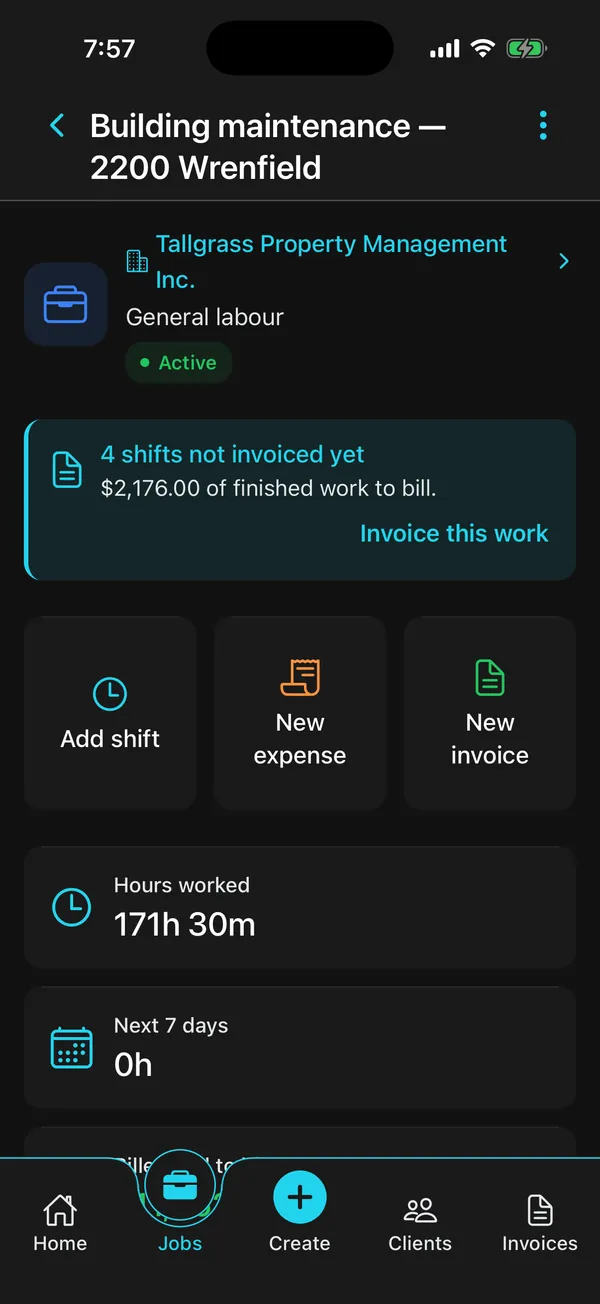
The job page
Hours worked, the shifts coming up, and a nudge when finished work is waiting: “5 shifts not invoiced yet — Invoice this work.”
Active, completed, archived
Close a job when it is done and bring it back if the client calls again.
Invoicing
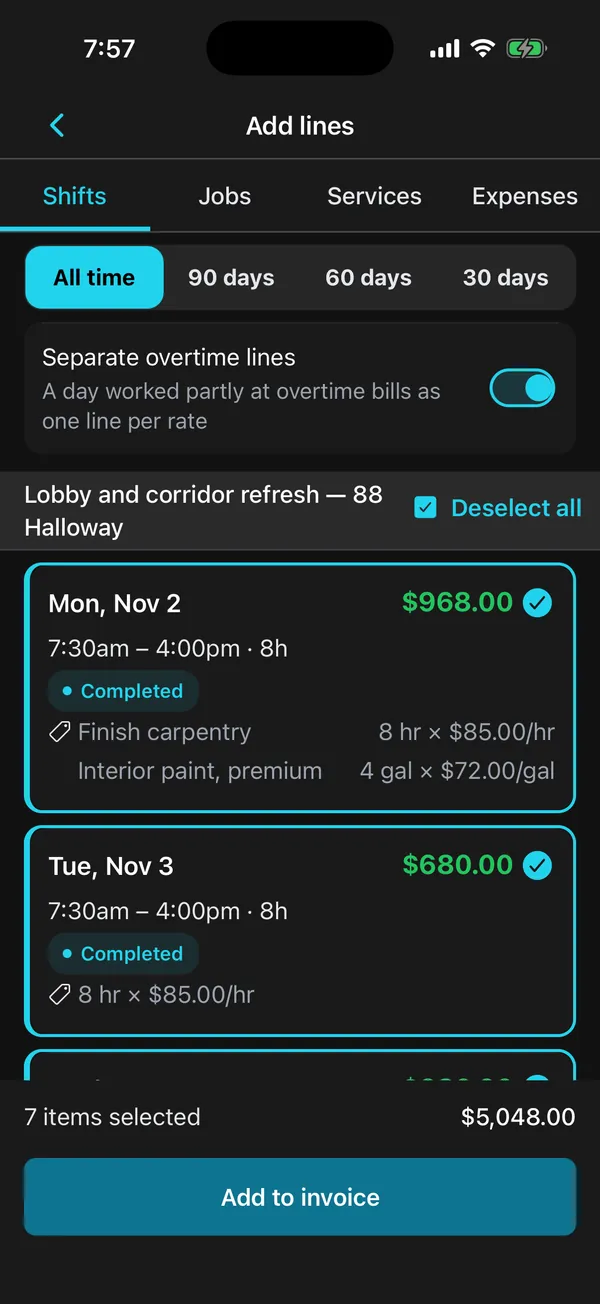
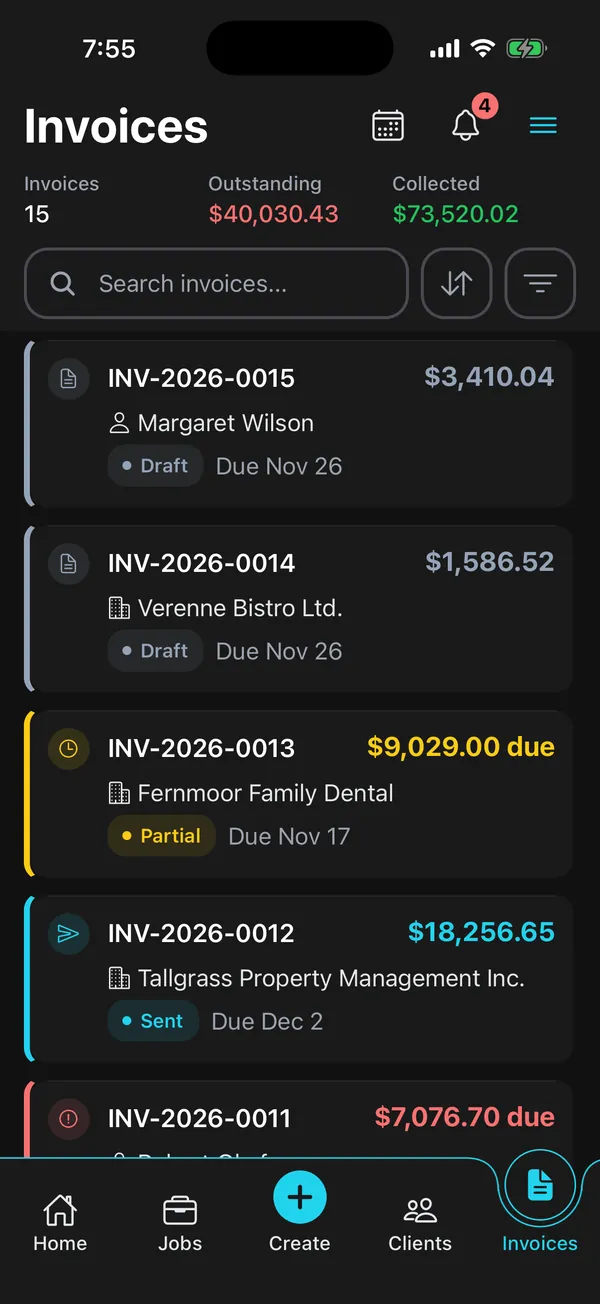
Pick the client and Gigatime shows the work you have not billed yet — shifts, fixed-price jobs, billable expenses — ready to add. Everything is on one screen.
Lines from the work you did
Bill the shifts already worked in two taps, then add jobs, items from your service list and expenses to bill. Overtime can go on its own line at its own rate.
Tax, discounts and terms
Your tax rate and label — HST, GST, sales tax — on every invoice, a client's own rate or exemption, discounts on a line or the whole invoice, and terms from due on receipt to Net 90.
A proper PDF, sent your way
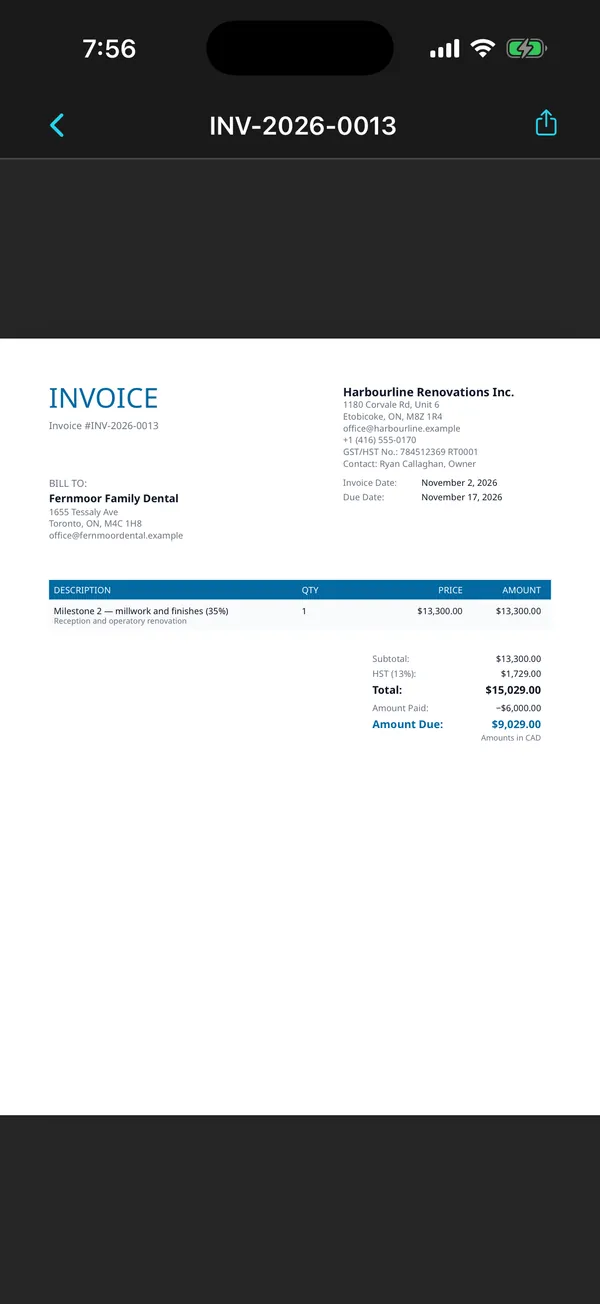
Numbered invoices with your business details, emailed from the app with the PDF attached, or shared any way you like.
Overdue, caught
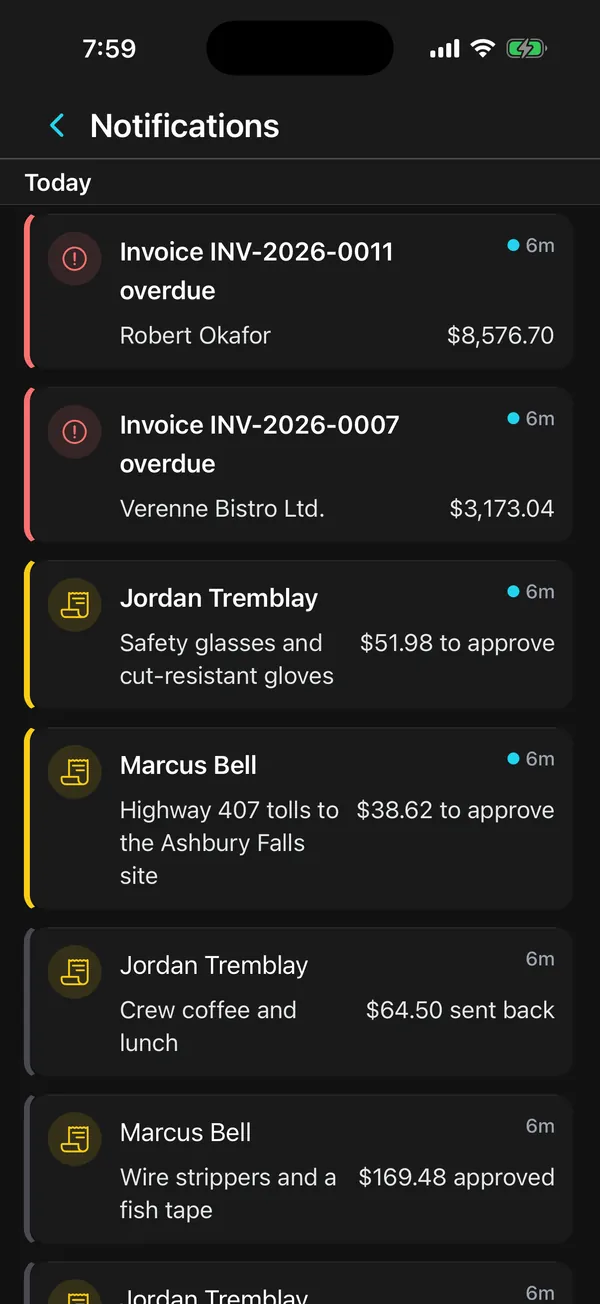
Invoices turn overdue on their own and you are notified. Send the client a reminder from the invoice in two taps.
Getting paid
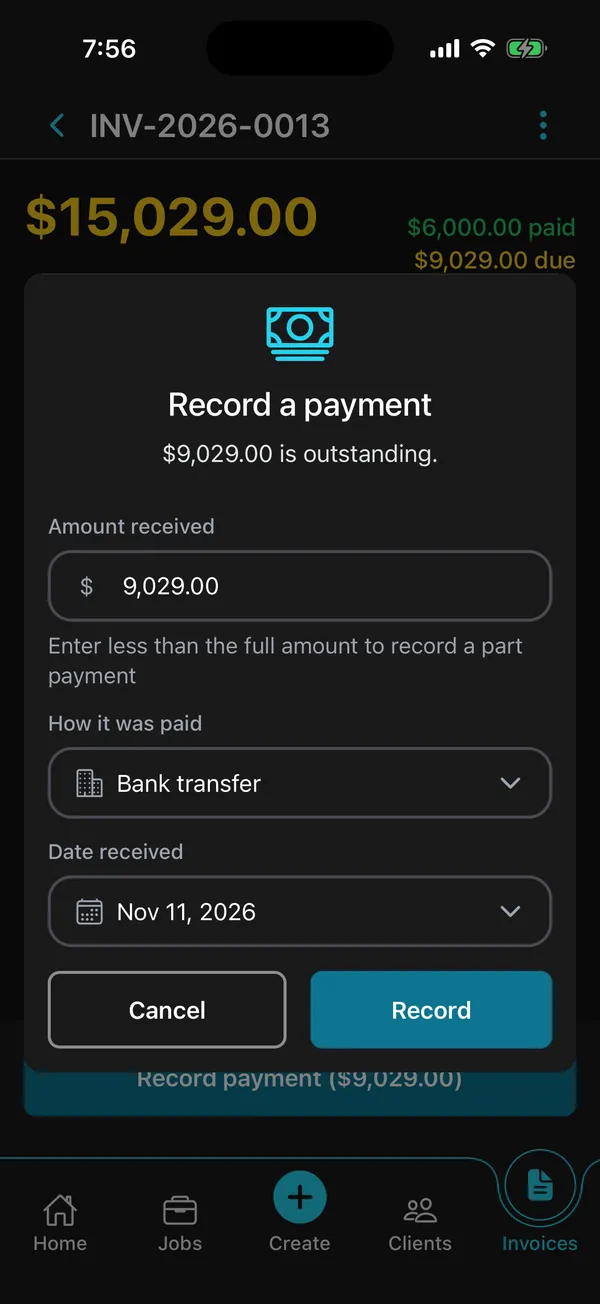
Record a payment the moment it arrives and the invoice, the client's balance and your totals all update together.
However they paid
Cash, cheque, Interac e-Transfer, bank transfer, card, wire and more. Part payments and refunds too, and the client can be emailed a receipt.
Outstanding at a glance
What is outstanding and what has been collected, on the invoice list and on your home screen. What each client owes, on their page.
Every payment in one list
Search and filter payments by client, invoice and method.
Gigatime records payments you take; clients cannot pay inside the app yet.
Expenses and mileage
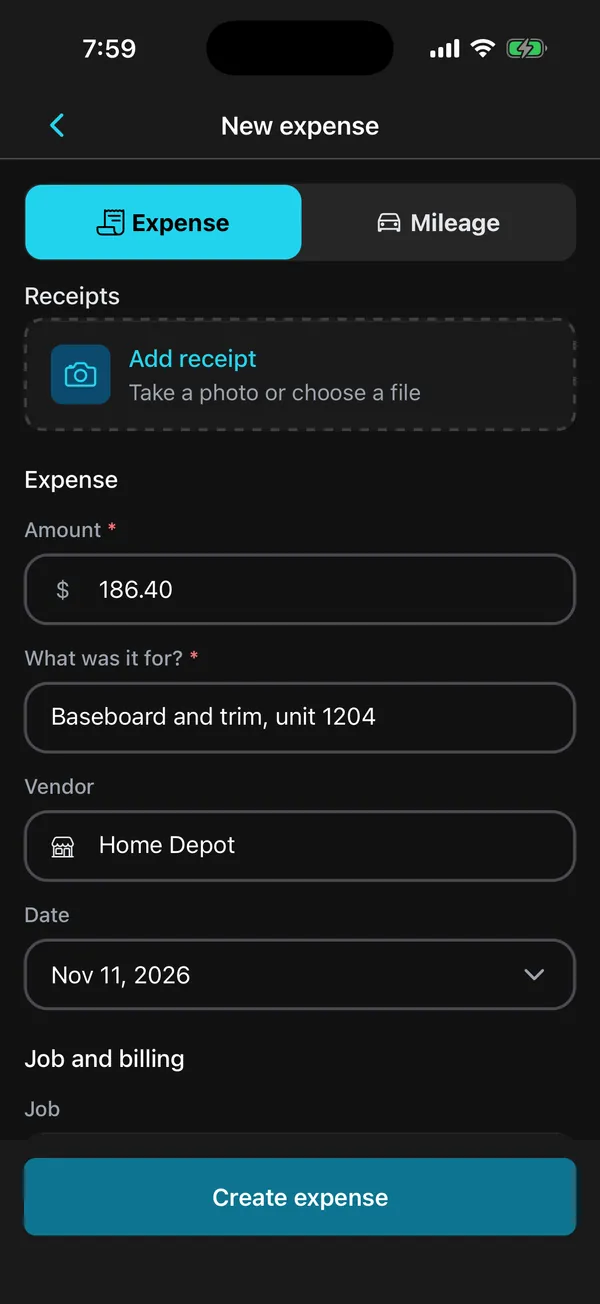
Log an expense on the spot with a photo of the receipt, put it against a job, and decide whether the client pays for it.
Receipts and categories
Equipment, materials, permits, fuel and more out of the box, plus categories of your own.
Mileage
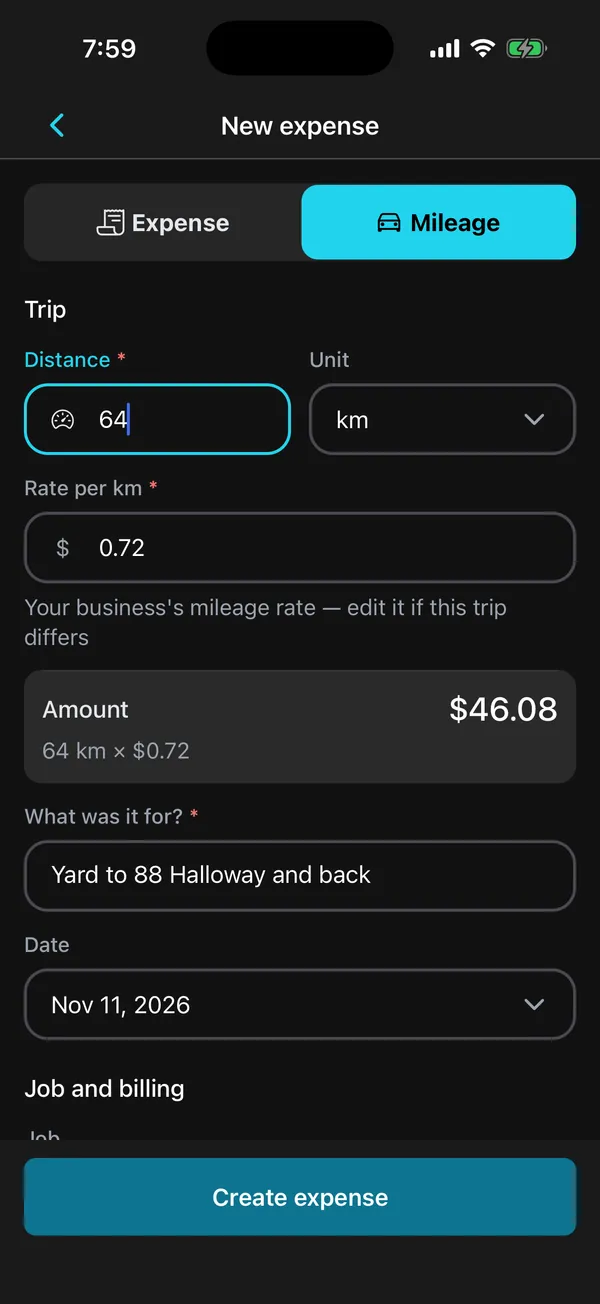
Log a trip in kilometres or miles and it is priced at your business's mileage rate — change it for a trip that differs.
Bill it to the client
Mark an expense billable, with an optional markup, and it waits for the next invoice.
Approvals with receipt rules
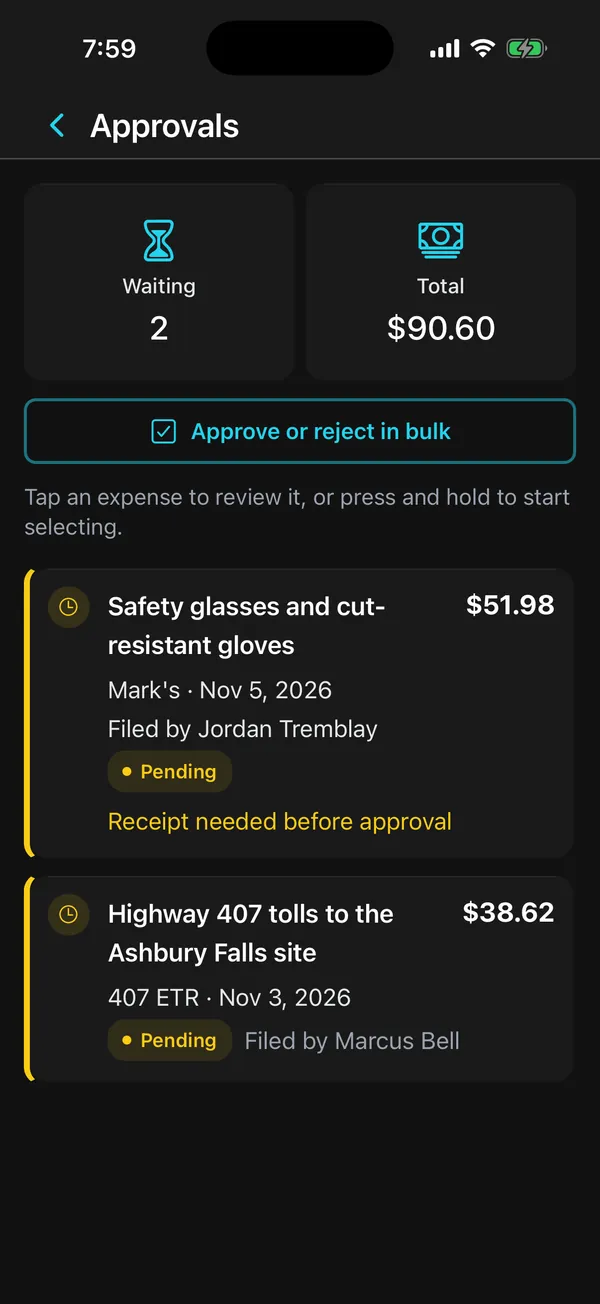
Staff claims wait for approval. Approve, reject or ask for the receipt, then mark it reimbursed. Require receipts above an amount you choose, and nobody approves their own claim.
Clients and services
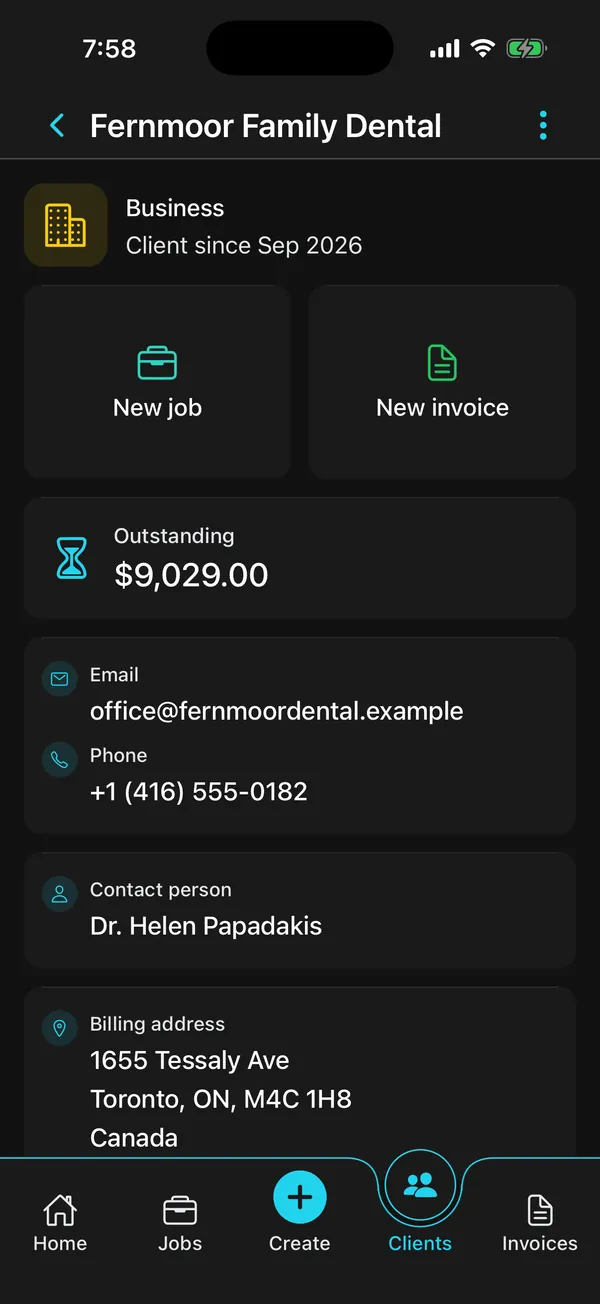
Each client carries their contact details, billing address, payment terms and tax — so every invoice starts right — and shows what they owe.
Client records
Email, phone, contact person, billing and shipping addresses, payment terms, tax rate and their own overtime rules.
Balances on every client
Outstanding and overdue amounts on the client list and on each client's page.
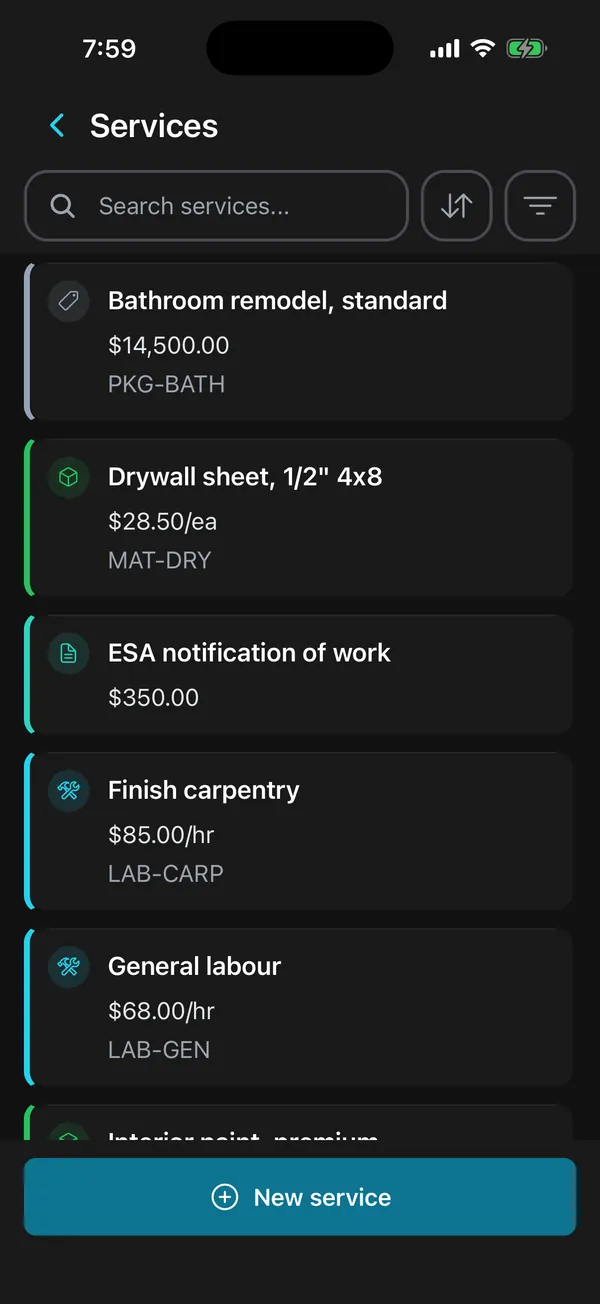
A service catalogue
Price your services by the hour, as a flat price, or per unit — per day, per item, per square foot — and add them to an invoice in a tap.
Team
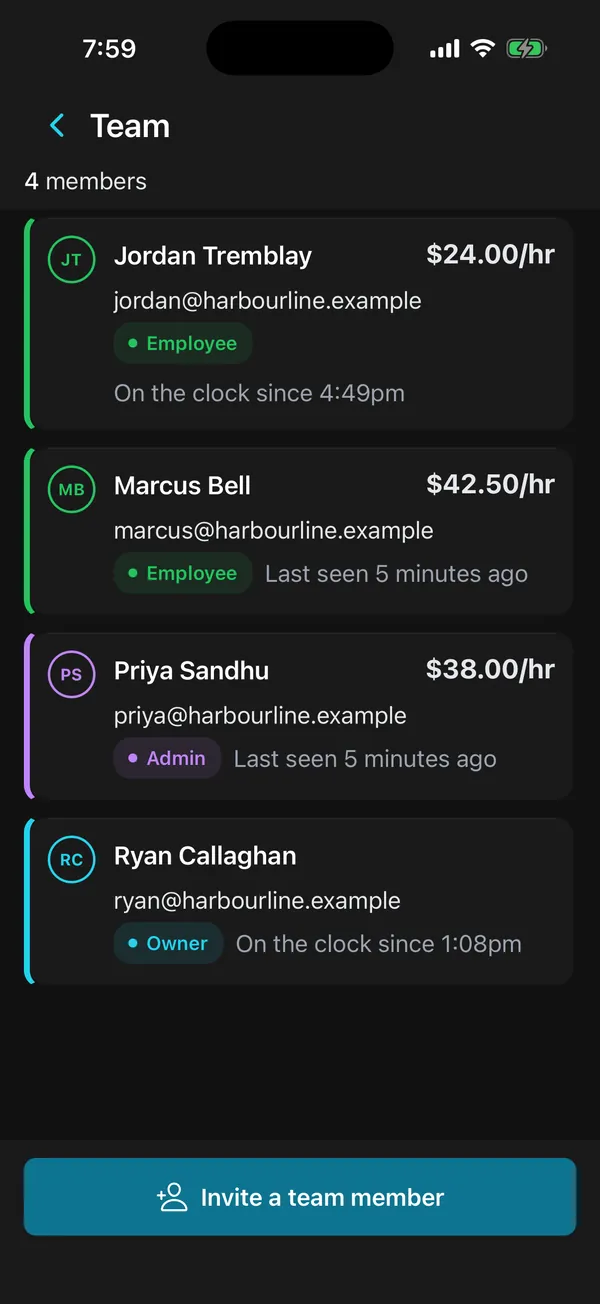
Invite people by email or text. They clock in on their own phone, and you see who is on the clock right now.
Roles and permissions
Owner, admin and employee roles, with about twenty permissions — send invoices, approve expenses, see reports, edit others' shifts — switched on or off per person.
Who is working
“On the clock since 9:14am” beside each person, and the team's shifts for today on your home screen.
Pay rates
An hourly rate for each person, so their earnings and your labour costs are worked out as they go.
Employees see their own
Their own shifts, pay and expenses — never anyone else's.
Reports
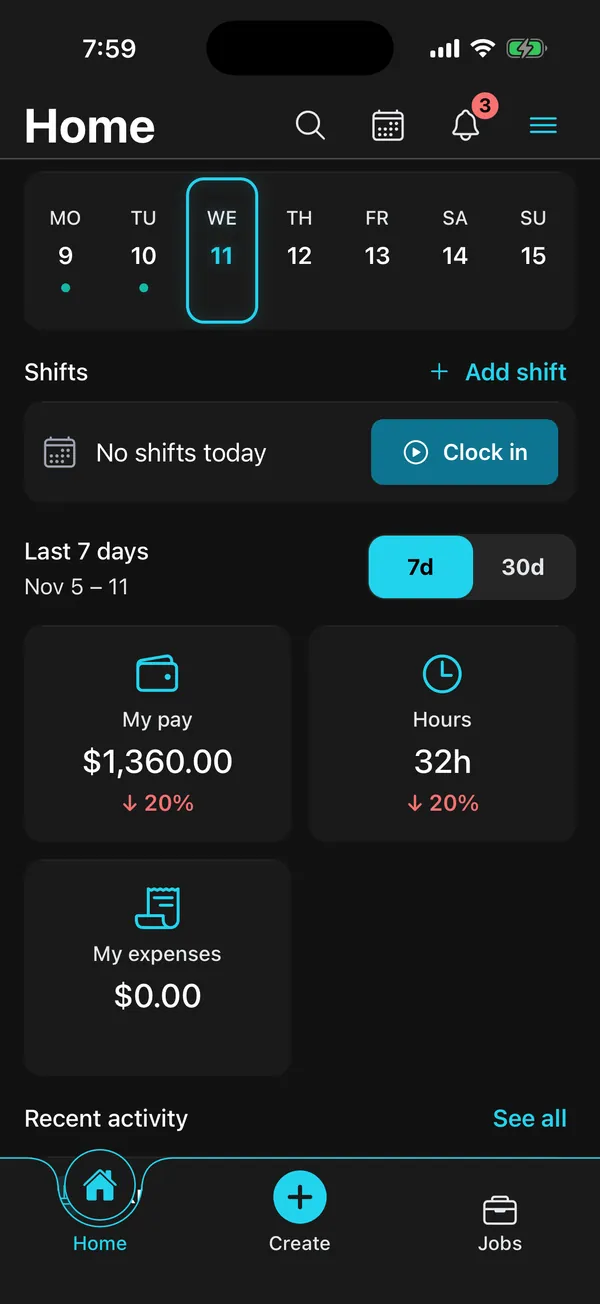
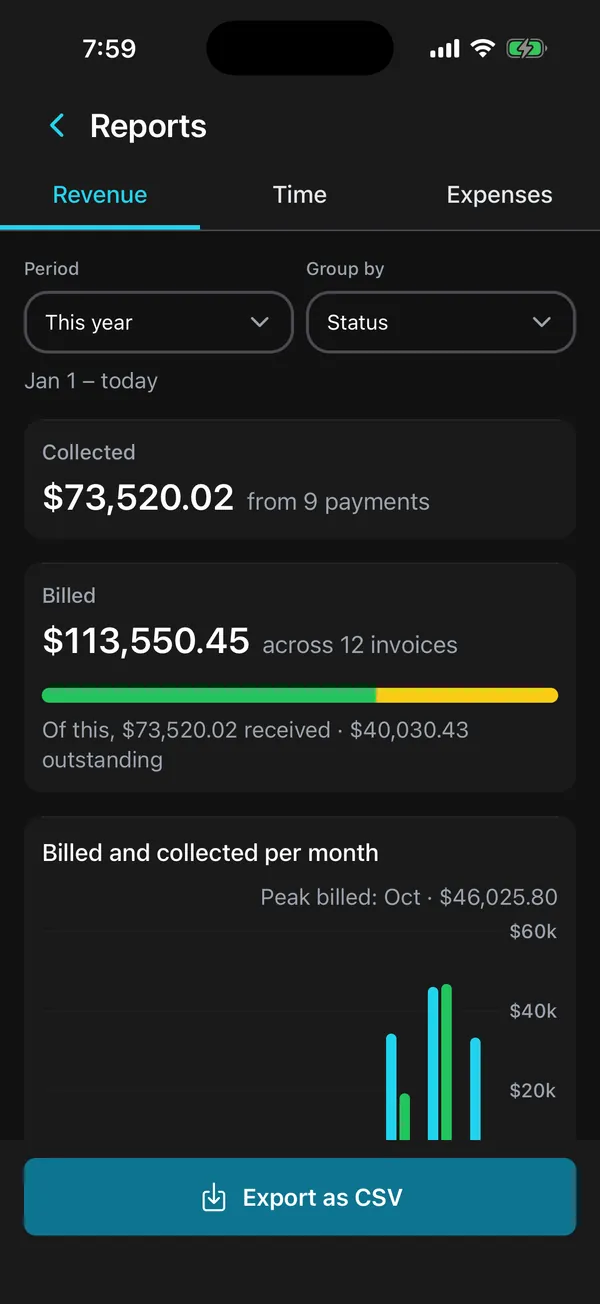
Your home screen shows what is outstanding, what is not billed yet and how this period compares with the last. Reports go deeper.
Revenue
What you billed, what you collected and what is still owed — by status, client, week or month, and who owes what by how late it is.
Time and earnings
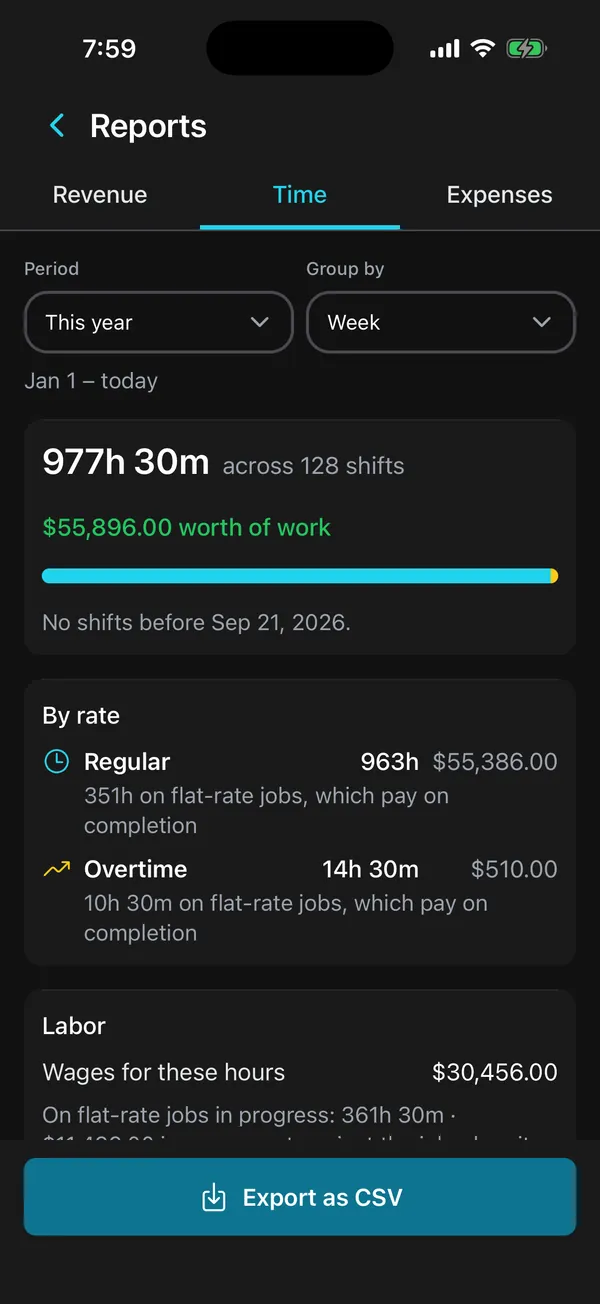
Hours worked and what they are worth, by week, month, person or job, with wages and the margin left after them.
Expenses
What was spent by category, week, month or person, and how much of it goes on to clients.
CSV export
Every report exports to CSV for your bookkeeper or spreadsheet.
Push and in-app alerts when an invoice is paid or overdue, a claim needs approving, a shift is missed or someone is clocked out — and a reminder before your shift starts.
One search box across your clients, jobs and invoices.
Photos and files stay attached to the expense or record they belong to.
Run your own business and work for someone else's from the same account, and switch between them.
Download everything as JSON or CSV whenever you like, on every plan.
Encrypted in transit and at rest. No ads, no trackers, nothing sold. Delete your account any time.
Schedule the crew, see who is on site, approve their expenses and bill their hours. Each person clocks in on their own phone and sees only their own work and pay.
A sole trader working for a few companies, each with its own rate, tax and overtime rules. Track the hours for each, invoice each the right way, and see who owes you what.
Tell us about your business and we will send you an invitation. Already testing? Use the same form to tell us what works and what does not.
Form not loading? Open the form(opens in a new tab) or email info@gigatime.io.